
Imagine a customer trying to reach your business. They start with a quick tweet, then send an email, then call support. They just want an answer fast.In a traditional setup, the agent can’t see those earlier messages. So the customer has to repeat everything. That feels slow and annoying. The contact center vs call center question is really about fixing that disconnect. This blog explains the move from voice-only support to omnichannel support. It breaks down infrastructure, data continuity, and why many teams are moving to the cloud.
What Is A Call Center?
A call center is a team that handles a high volume of phone calls from one hub. It mainly sticks to voice support. It can take inbound calls like billing questions or tech help. It can also run outbound calling for sales and collections.
Typical Features Of Traditional Call Centers
- Uses PSTN or simple VoIP
- Routes calls using a basic ACD
- Has limited links to digital data tools
Common Business Use Cases
- Sales: Cold calls and lead generation.
- Support: Helps customers fix simple issues over the phone.
- Telemarketing: Runs big outbound promotional call campaigns.
What Is A Contact Center?
Definition and Modern Scope
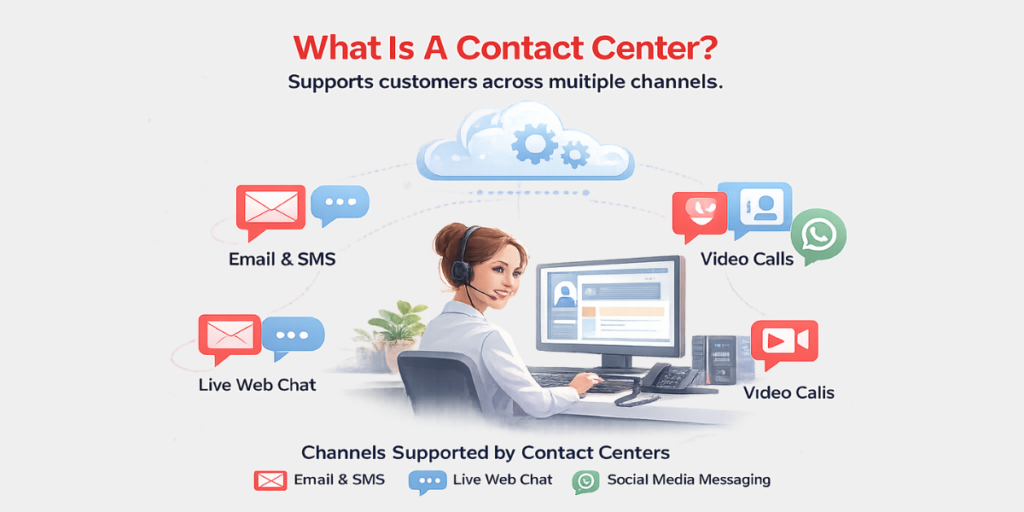
A contact center supports customers across more than one channel. It is not limited to phone calls. It keeps the context so a chat can carry into the next call.
Channels Supported by Contact Centers
Unlike a standard call center, it brings digital channels into one place. Customers can reach you in the way they like. That flexibility is what contact center services are built for.
- Email and SMS.
- Live web chat.
- Social media messaging (WhatsApp, X, Facebook).
- Video calls.
Role of Cloud and CCaaS Platforms
Many teams now use CCaaS. It makes a Virtual Contact Center possible, so agents can work from anywhere. This helps in quick scaling and avoids heavy hardware, with 99.9% uptime.
Helpful Resource: SkaiConnect Helps You With Contact Center Design & Process Optimization
Key Differences: Call Center vs Contact Center
To choose the right tech stack, you must know your call center vs contact center requirements. Call center representatives mainly handle phone calls, while contact center agents work from one shared desktop. That setup makes Contact Center Optimization easier.
Technical Comparison Of Models
| Feature | Call Center | Contact Center |
| Primary Channel | Voice Only | Omnichannel (Voice, Digital, Social) |
| Data Integration | Siloed / Minimal | Deep CRM Integration |
| Routing Logic | Skill-based (Voice) | Predictive AI & Omni-routing |
| Customer Context | Starts fresh every call | Continuous journey history |
| Infrastructure | Often On-Premise PBX | Cloud-native / CCaaS |
Technology and Infrastructure
A contact center vs call center comparison makes the infrastructure gap clear. Call centers often rely on older hardware that doesn’t scale well. Modern Contact Center Software supports API integrations with tools like Salesforce or HubSpot.
Pros and Cons of Contact Centers
Advantages
- Customer Experience Platforms give a full customer view.
- Better First Contact Resolution (FCR) with more context.
- Agents see key details before the call starts.
Challenges
- Moving out of legacy systems is a time-consuming process.
- The migration of clouds requires a change management and a clear strategy.
- The teams should be trained on new digital tools.
Automation, AI, and Self-Service in Contact Centers
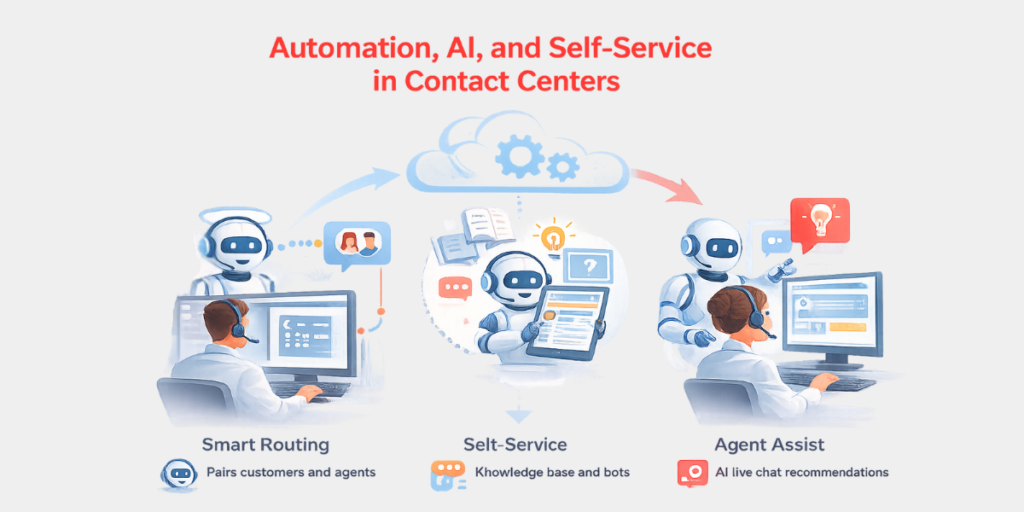
Modern contact vs call center setups now run on automation. Contact Center Software now includes smart IVR and AI chatbots. They handle Tier 1 questions fast and leave complex issues to agents.
- Smart Routing: Pairs customers and agents according to history and sentiment.
- Self-Service: Knowledge bases and bots decrease the total calls.
- Agent Assist: AI offers agents live chat recommendations in real time.
Transitioning From a Centre Call Centre to a Contact Center
Many businesses realize that contact center vs call center decisions matter as call center and customer care evolve. Moving to a Virtual Contact Center reduces overhead significantly. Skai Connect simplifies this with a 4-step migration process.
How Skai Connect Simplifies Migration
Our Center Call Center Consultants guide you through every phase. We ensure your call center contact points remain active during the move. Our process focuses on security and zero data loss.
- Measure: We measure your present center call volume and objectives.
- Design: We created a bespoke roadmap of cloud.
- Deploy: We migrate your data in zero-downtime.
- Optimize: Monitoring continuously keeps your centre call centre measures high.
Helpful Resource: Cloud Contact Center Migration
- Call Centers are voice-based and suited to simple and high-volume phone work, which is the core difference between call center vs contact center.
- Contact Centers are digital, omnichannel, and data-directed.
- The modern-day scalability is the standard of the Cloud CaaS (Cloud).
- The most important distinguishing factor in customer satisfaction is integration with CRM.
Conclusion
Choosing between a contact center vs call center depends on your customers’ preferred journey. If your audience only uses phones, a call center works. In a digital-first world, a contact center is better for long-term growth.
Cloud technology keeps your business agile. It helps you respond faster to customers. It also makes scaling easier. This matters for any service center call center setup.
FAQs
What Is The Main Difference Between A Call Center And A Contact Center?
A call of center deals only with voice calls. A contact center handles both voice and digital channel such as email, chat, and social media.
Is A Contact Center Better Than A Call Center?
Yes, in the majority of modern businesses, a call center vs contact center comparison usually favors a contact center. It offers a more integrated customer experience and improved data to drive growth.
What Is CCaaS?
It is an abbreviation of Contact Center as a Service. It is a web-based software application that enables companies to operate without physical hardware.
Can A Centre Call Centre Support Omnichannel?
Technically, no. It becomes a complete contact center with the addition of several integrated channels and data syncing.
Ready to update your customer support with Skai Connect? Book a free cloud assessment today.